WinX HD Video Converter Deluxe 2026 Download for Windows
WinX HD Video Converter Deluxe 2026 Download for Windows
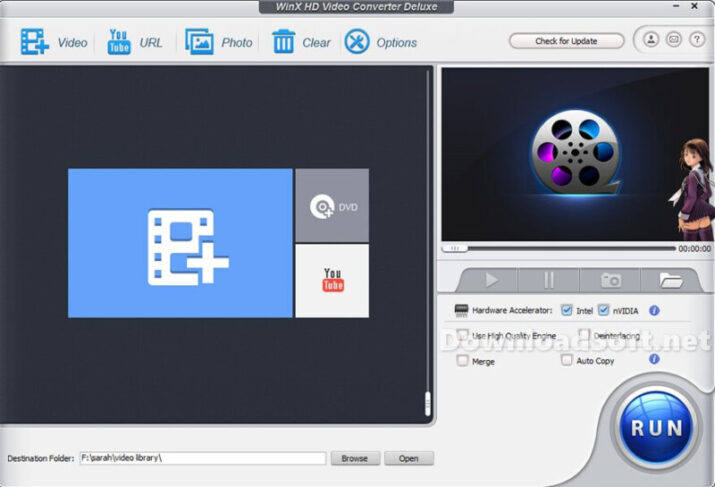
WinX HD Video Converter Deluxe, an all-in-one video software such as an Ultra HD video converter, online video downloader (YouTube), slideshow maker, and video editor, gives you maximum control over any SD, HD, and 4K video files on your PC. Thanks to hardware acceleration technology, it enables multiple CPUs to simultaneously use QSV and CUDA / NVENC to encode and decode videos, helping you convert video in a flash!
This video converter software supports 1080p HD multi-track videos, MKV, H.265, M2TS, AVCHD MOD, HD video camcorder, Blu-ray video, AVI standard, MPEG, MP4, WMV, MOV, VOB, FLV, RMVB, WebM, Google TV, etc. Contains over 410 pre-built device profiles for converting SD / HD videos for playback on Apple iPhone, iPad, iPod, Apple TV, iTunes, Android (Nexus, Samsung, HTC, Kindle Fire, and Microsoft Windows Phone / Surface / Xbox) / Chromecast / Sony / Nokia Lumia, etc. during the trip.

WinX HD Video Converter Deluxe
It is adept at editing massive videos recorded from GoPro, DJI, and 4K cameras to stabilize, minimize noise, cut, filter, split, merge, and subtitle. In parallel, there is a video converter and compressor that helps convert HEVC / H.264 videos to code.
It can also convert any videos, audio recordings, and DVDs, such as MKV to MP4, M4A to MP3, and DVD to MP4, and make media content playable on large TV screens or mobile devices. Besides, it is one part of the audio and video downloader, and part of the video recorder/webcam.
WinX HD Video Converter Features
Faster real-time 64x driven by hardware-level 3 acceleration
Due to WinX 3 hardware acceleration on Windows, audio (automatic copying), Hyper-Threading, and AMD 3DNow! Technically, the program has defeated the absolute majority of competitors for more than 64x real-time speed, video-free conversion, and minimal CPU usage/temperature control. Moreover, exclusive video processing delivers over a 90% compression ratio to resize large video clips seamlessly.
Input: Support 370+ built-in audio and video codecs
WinX HD Video Converter Deluxe facilitates almost all types of video clips, audio recordings, and DVDs, ranging from ISO images, HEVC, H.264, and MPEG-4. It can convert AVI, MKV, MOV, M2TS, MOD video for the camcorder to 1080p HD video Tracks and 4K @ 60fps videos from GoPro, DJI, DSLR, Blu-ray, Apple iPhone X, and Android phones. Mainstream videos and specialized clips can be converted, edited, and shared in one go for easy playback and sharing.
The software also offers a variety of powerful features, such as a one-click video download from YouTube and over 1000+ sites, a built-in video editor for trimming, cropping, merging, adding effects/watermarks/subtitles, and more.
It is also equipped with advanced video and audio parameter settings to customize video settings such as frame rate, resolution, bit rate, audio sample rate, etc. With its fast speed and excellent output quality, WinX HD Video Converter Deluxe helps you get the most out of your videos.
Outputs: 420+ profiles for Apple and Android devices
Not all videos can be accepted by all your media players and devices. Besides switching between video formats such as multi-track MKV to MP4, Windows 10 HD Video Converter can make any videos that are not compatible with SNS, game consoles, HDTV, or portable players to share on YouTube or a Blog.
Or enjoy it on iPhone, iPad, Xbox, PSP, Android tablets, smartphones, etc. It provides 420+ profiles for Apple iOS/Android devices, letting you easily convert videos for playback on various devices with optimized settings, so you don’t have to worry about compatibility issues.
Stronger editing/sharing/merging/subtitle features
The most powerful desktop video editor: WinX HD Video Converter Deluxe, which was released on July 16, with a fully rebuilt UI and features. It is now the most powerful video processing tool for up to acceleration-level devices 3. It not only provides Video Proc conversion code at a faster speed, by 16x, but also provides quality and size ideals in processing video clips with super-recorded accuracy of GoPro and units of unmanned aircraft. Furthermore, it also provides DVR systems for cars and screens.
📌 Note: 15 days of experience, watermark on the output file, and nag screen.
Allows you to cut, split, rotate, rotate, rotate, flip, translate, merge, and mix video clips with many audio tracks for the video to MKV. Add watermarks, apply them outside filters, and adjust video color effects such as image brightness, contrast, hue, gamma, and saturation. Better yet, you can remove or minimize vibration and noise in GoPro videos, fix fish-eye distortion, create GIFs, capture snapshots, convert 3D to 2D video, or convert video to M3U8 with one click.
Get the highest-quality video
With the smallest size, the built-in high-quality engine. Yadif Double Frames tangling technology and automatic copying technology can dynamically improve image quality and reduce noise. And adjust the definition to make the video output clearer. Thanks to the advanced GPU acceleration algorithm and video compression. The video file size can be reduced to high resolution and bitrate without compromising quality at all.
Download videos, music, and playlists
With the advanced video download engine, you can download any sharp 1080p / 4K video. (also a playlist or channel) and 5.1 surround sound from YouTube, Yahoo, Facebook, DailyMotion, Vimeo, Vevo, SoundCloud, etc., across 1000 UGC sites in about 20 seconds. You can preset a time to record live videos, search for online subtitles, add videos to the playlist later for batch download, etc.
Record videos from your screen or webcam
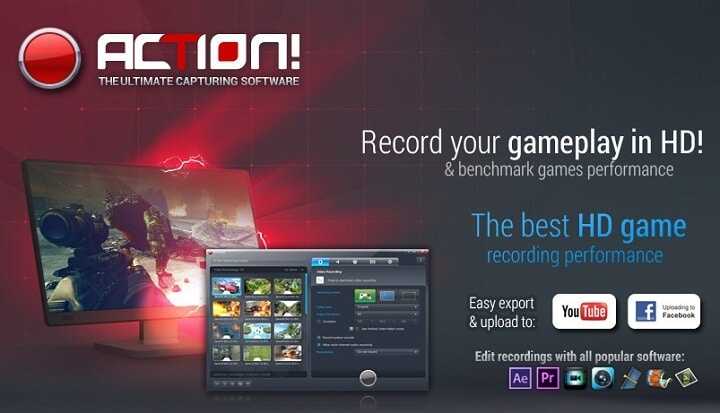
WinX HD Video Converter Deluxe allows you to record videos from your screen or webcam in standard or full HD 1080p quality in MP4, FLV, MOV, MKV, or TS formats. It’s an easy-to-use tool for recording gameplay, webinars, online courses, video tutorials, and blogs. Or software reviews for the best in live-streaming, editing, interacting, uploading, and sharing. The software also comes with various settings to help you customize the recorder to your specific needs.
You can record audio from both your microphone and system audio, and adjust the volume levels. You can choose to capture a full screen or a region of your screen. You can also add mouse-click effects and annotations, such as arrows and shapes, while recording. With its built-in video editor, you can easily trim unnecessary parts from your recordings, add transitions, and apply effects to make professional-looking videos.
Get the app to handle your various video stability and effectively!
Video Proc is a dramatically improved successor to WinX HD Video Converter Deluxe that was released on July 16, with a fully rebuilt UI and features. It is now the most powerful video processing tool for up to acceleration-level devices 3.
It not only provides Video Proc conversion code at a faster speed, by 16x, but also provides quality. And size ideals in processing video clips with super-recorded accuracy of GoPro and units of unmanned aircraft. Furthermore, it also provides DVR systems for cars and screens.
📌 Note: 15 days of experience, watermark on the output file, and nag screen.
Pros of WinX HD Video Converter Deluxe
- High-Quality Conversion: Maintains video quality during format changes.
- Fast Processing Speed: Utilizes hardware acceleration for quicker conversions.
- User-Friendly Interface: Easy to navigate, suitable for beginners.
- Basic Editing Tools: Allows for simple edits before conversion.
- Video Downloading Capability: Enables saving online videos for offline access.
- Batch Processing: Efficiently handles multiple conversions at once.
Cons
- Paid Software: While it offers a free trial, the full version requires purchase.
- Limited Advanced Editing Features: Lacks some professional editing tools found in dedicated software.
- Occasional Performance Issues: Users may experience slowdowns with very large files or extensive batch processes.
- <strong>Learning Curve for Some Features: While the interface is user-friendly, some advanced features may require a bit of time to master.</li>
Conclusion
WinX HD Video Converter Deluxe is a powerful and versatile video conversion tool suitable for users ranging from casual to more serious content creators. With its high-quality conversion capabilities, fast processing speeds, and user-friendly interface, it stands out as an excellent choice for those looking to convert, edit, and download videos.
While it may not provide all the advanced editing features of professional software and requires a purchase for full functionality. Its strengths in conversion and ease of use make it a valuable addition to any multimedia toolkit.
Overall, WinX HD Video Converter Deluxe is a reliable option for anyone seeking efficient video management solutions.
Technical Details
- Category: Multimedia Software
Software name: WinX HD Video Converter Deluxe
- Version: The latest
- License: Trial
- File Size: 52.35 MB
- Operating Systems: All versions of Windows
- Core: 32/64-bit
- Languages: Multilingual
- Developer: Digiarty Software
- Official website: winxdvd.com