Norton 360 Deluxe 2026 Unlimited VPN & Identity Protection
Norton 360 Deluxe 2026 Unlimited VPN & Identity Protection
Introduction
Norton 360 Deluxe is one of the most recognised names in the cybersecurity world. The company behind it, NortonLifeLock (formerly Symantec), was founded in 1991 and is headquartered in Tempe, Arizona, USA. For decades, this product has been a household name, trusted by millions of users worldwide.
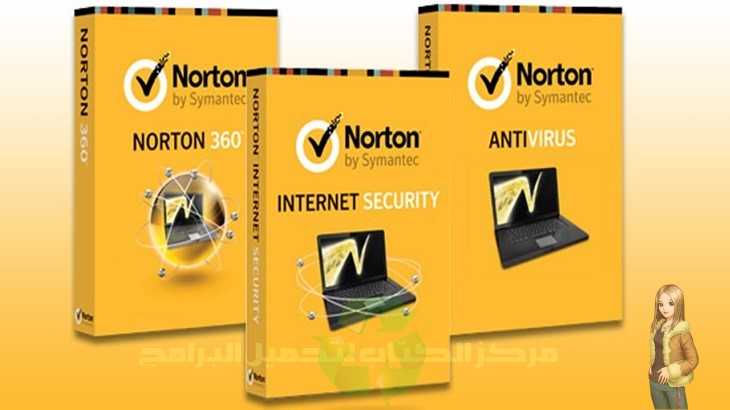
What makes this particular edition special? It sits comfortably in the middle of the family, offering an excellent balance between price and features. Unlike the basic version, Norton 360 Deluxe includes unlimited VPN, 50GB of cloud backup, and identity protection features that many competitors simply do not offer.
Software has come a long way in recent years. Older versions were known for being heavy and resource-hungry. However, the modern Norton 360 Deluxe is surprisingly light and efficient. It now competes head-to-head with the best in the industry, including Bitdefender and Kaspersky.

Who is this security suite for?
- Families with multiple devices (covers up to 5 devices).
- Users who want an unlimited VPN without paying extra.
- People who care about identity theft protection.
- Those who prefer a well-known, trusted American brand.
- Users who want cloud backup included in their security package.
1. Interface and Ease of Use
When you install Norton 360 Deluxe, the first thing you will notice is the modern, clean interface. Gone are the cluttered dashboards of old versions. Instead, you get a sleek design called “My Norton”, which acts as a central command centre.
Main sections inside the interface:
- Device Security: Shows your real-time protection status, allows you to run scans, and gives access to firewall settings.
- VPN: A dedicated section for the unlimited VPN. You can turn it on/off, change virtual locations, and enable auto-VPN for unsecured Wi-Fi networks.
- Cloud Backup: Manage your 50GB of online storage. You can select which folders to back up and set automatic backup schedules.
- Password Manager: Access your encrypted vault, generate strong passwords, and manage saved logins.
- Parental Control: Set screen time limits, block inappropriate content, and monitor your children’s online activity.
Ease of use for beginners:
Norton 360 Deluxe is extremely beginner-friendly. The main dashboard shows a large green checkmark when everything is safe, and a red “X” when something needs attention. You can run a scan with one click, and most settings are explained in plain English without technical jargon.
Ease of use for professionals:
Advanced users will find plenty of options under the “Advanced Settings” section. You can tweak firewall rules, adjust scan sensitivity, create exclusion lists, and customise almost every aspect of the protection. However, keep these options hidden by default to avoid confusing casual users.
Interface drawbacks:
- The “My Norton” dashboard is simple, but some users may find it too basic compared to older, more detailed interfaces.
- Changing some advanced settings requires clicking through multiple menus.
- No full Arabic interface (English only), which may be a barrier for some users.
Overall interface rating: 9/10 (clean, modern, and very beginner-friendly).
2. Core Security Features
Antivirus and Malware Protection
Norton 360 Deluxe uses a powerful engine called SONAR (Symantec Online Network for Advanced Response). This is not just a signature-based scanner. SONAR is a behavioural detection engine that monitors how programs act, not just what they look like.
For example, if a program looks like a harmless calculator but tries to encrypt your files or access sensitive data, SONAR will catch it and stop it immediately. This behavioural approach is excellent against zero-day threats – brand new viruses that do not yet have known signatures.
The software also includes Norton Insight, which checks files against a cloud database of billions of known safe and unsafe files. This reduces scan times dramatically because safe files are skipped on future scans.
Ransomware Protection
Norton 360 Deluxe takes ransomware very seriously. It offers multiple layers of defence:
- Real-time file monitoring: Any unauthorised attempt to modify or encrypt your documents is blocked instantly.
- Backup recovery: Even if ransomware somehow bypasses the protection, you can restore your original files from the 50GB cloud backup.
- Smart behaviour analysis: The software learns your normal file access patterns. Any deviation triggers an alert.
Anti-Phishing Protection
Phishing attacks are becoming more sophisticated every year. Norton protects you by:
- Scanning all links in emails, messages, and web pages.
- Comparing them against a massive, constantly updated database of fake banking and shopping sites.
- Displaying a red warning screen if you accidentally click a dangerous link.
- Blocking malicious downloads before they reach your computer.
Firewall
The built-in firewall in Norton 360 Deluxe is a smart, two-way firewall. It monitors both incoming and outgoing traffic. Key capabilities include:
- Automatically configures itself for different networks (home, work, public).
- Blocking unauthorised access attempts from hackers.
- Preventing infected programs from “phoning home” to their command servers.
- Allowing advanced users to create custom rules for specific applications.
3. Advanced and Extra Features
Unlimited VPN (The Star Feature)
This is where Norton 360 Deluxe truly shines. Unlike G Data Total Security, which limits you to 300-500MB per day, it gives you completely unlimited VPN bandwidth. You can stream, download, and browse as much as you want without worrying about hitting a data cap.
Key VPN details:
- Unlimited data: No daily or monthly limits.
- Bank-grade encryption: Your traffic is fully encrypted, protecting you on public Wi-Fi.
- No logs policy: It claims it does not track or store your browsing activity.
- Automatic VPN: You can set the VPN to turn on automatically when you connect to unsecured Wi-Fi networks.
- Virtual locations: Access content from different countries (useful for streaming services).
- Split tunnelling: Choose which apps use the VPN and which use your regular connection.
Bottom line: The unlimited VPN alone justifies the price of Norton 360 Deluxe. Most competitors either do not include a VPN or severely limit its usage.
Password Manager
Norton Password Manager is a solid, free (included) tool for managing your login credentials. Features include:
- Secure vault: All passwords are stored in an encrypted vault accessible with a single master password.
- Password generator: Creates strong, random passwords for new accounts.
- Auto-fill: Automatically fills login forms on websites and apps.
- Sync across devices: Your passwords are available on Windows, Mac, Android, and iOS.
- Security dashboard: Shows weak, duplicate, or reused passwords that need changing.
Cloud Backup (50GB)
Another feature that sets Norton 360 Deluxe apart from many competitors is the 50GB of secure cloud storage. You can:
- Back up important documents, photos, and files automatically.
- Schedule daily, weekly, or monthly backups.
- Restore previous versions of files (useful after ransomware attacks).
- Access your backed-up files from any device via the Norton web portal.
This cloud backup is not just for security – it is also a convenient way to protect your data from hard drive failures or accidental deletions.
Webcam Protection
Norton 360 Deluxe includes SafeCam, a feature that blocks unauthorised access to your webcam. When any program tries to use your camera, it asks for your permission. You can approve once, always approve for trusted apps, or block completely. This prevents hackers from spying on you through your camera.
Identity Protection (LifeLock Integration)
This is a unique feature not found in most antivirus products. Norton 360 Deluxe includes basic identity monitoring. It scans the dark web for your personal information, including:
- Email addresses
- Phone numbers
- Home addresses
- Government IDs (limited monitoring)
If your information is found on the dark web, Norton alerts you so you can take action. (Note: Full LifeLock identity restoration services require a more expensive plan, but the basic monitoring is included.)
Parental Control
Includes powerful parental control tools. Parents can:
- Set screen time limits for each child.
- Block inappropriate websites (pornography, violence, drugs, etc.).
- Monitor search terms and browsing history.
- Track your child’s location (on mobile devices).
- Receive alerts when your child tries to access blocked content.
4. Performance and System Impact
Many users remember older versions as heavy and slow. Those days are gone. The modern Norton 360 Deluxe is surprisingly lightweight.
RAM consumption:
- At idle: around 100-150 MB (significantly less than G Data).
- During a full scan: around 250-350 MB.
- Comparison: Lighter than G Data and comparable to Kaspersky.
Impact on Windows boot time:
Adds about 3-5 seconds to boot time. This is better than G Data (5-10 seconds) and on par with most competitors.
Impact on file copying:
The software scans files during copy operations, but the impact is minimal – around 10-15% slowdown, much better than G Data’s 20-30%.
Impact on web browsing:
Norton uses cloud-based URL checking, which adds almost no noticeable delay. Most users will not feel any difference.
Impact on gaming:
It includes a Silent Mode (similar to Gamer Mode). When activated, it suppresses all notifications, pauses non-critical updates, and stops background scans while you are playing games or watching full-screen videos.
Performance summary:
- On modern machines: You will likely forget it is even running.
- On older machines (4GB RAM, HDD): Perfectly usable, though you may notice slightly slower boot times.
- Recommendation: Suitable for almost any machine, including older ones.

5. Independent Lab Test Results
Norton 360 Deluxe consistently receives top marks from independent testing labs.
AV-Test (Germany) – latest rating:
- Protection: 6/6 (perfect)
- Performance: 5.5/6 (minimal impact)
- Usability: 6/6 (no false positives in testing)
AV-Comparatives (Austria) – real-world protection test:
- Block rate: 99.9% (exceptional)
- False positives: 1 only (excellent)
SE Labs:
- Received AAA rating (highest possible) in multiple consecutive tests.
MRG Effitas (UK):
- Achieved 100% protection against financial malware and banking Trojans.
Conclusion: Norton 360 Deluxe is consistently among the top 3 performers in independent tests, alongside Bitdefender and Kaspersky.
6. Strengths
- Unlimited VPN included: This is the biggest selling point. Most competitors charge extra for unlimited VPN.
- 50GB cloud backup: A unique feature that adds real value, especially for protecting important documents.
- Very lightweight on modern systems: The old “heavy Norton” reputation no longer applies.
- Excellent protection scores: Consistently ranks in the top 3 in independent lab tests.
- Identity monitoring: Basic dark web monitoring is rare in consumer antivirus products.
- Beginner-friendly interface: My dashboard is clean, simple, and easy to navigate.
- Covers 5 devices (including mobile): One subscription protects Windows, Mac, Android, and iOS devices.
7. Weaknesses
- More expensive than some competitors: You pay a premium for the unlimited VPN and cloud backup.
- No full Arabic interface: English only, which may challenge some users.
- Some features require extra payment: Full LifeLock identity restoration is not included.
- Auto-renewal can be aggressive: Norton is known for automatic billing; remember to cancel if you do not want to renew.
- Customer support can be slow: Phone and chat support are available, but wait times can be long.
8. Version Comparison
| Feature | Norton AntiVirus Plus | Norton 360 Standard | Norton 360 Deluxe | Norton 360 Ultimate |
|---|---|---|---|---|
| Antivirus + Firewall | ✅ | ✅ | ✅ | ✅ |
| VPN (unlimited) | ❌ | ✅ | ✅ | ✅ |
| Cloud backup | ❌ | 10GB | 50GB | 75GB |
| Password manager | ❌ | ✅ | ✅ | ✅ |
| Parental control | ❌ | ❌ | ✅ | ✅ |
| Identity monitoring | ❌ | ❌ | ✅ | ✅ |
| Webcam protection | ❌ | ✅ | ✅ | ✅ |
| Devices covered | 1 | 1 | 5 | 5 |
| Price (approx/year) | $30 | $45 | $55 | $65 |
Recommendation:
- AntiVirus Plus: For single users on a budget.
- 360 Standard: For individuals who want VPN and basic backup.
- 360 Deluxe: Best value for families and most users (our review focus).
- 360 Ultimate: For users who need more cloud storage.
9. System Requirements and Pricing
Minimum system requirements:
- OS: Windows 11, 10, 8.1, 7 SP1 (32-bit or 64-bit)
- Processor: 1 GHz or faster
- Memory: 2GB RAM (4GB recommended)
- Space: 500MB on hard drive
- Internet connection: Required for activation, updates, and cloud features
Pricing for Norton 360 Deluxe (5 devices, 1 year):
- Official US price: around $55-60
- Often on sale for $40-50 during promotions
- First-year discounts are common (up to 50% off)
Renewal price: Usually higher than the first year. Watch for auto-renewal emails.
10. Installation and Initial Setup
- Purchase and download: Buy from the official website or an authorised retailer. Download the installer.
- Run the installer: Double-click the downloaded file. Accept the User Account Control prompt.
- Sign in or create an account: You need an account to activate the software.
- Enter your product key: If you bought a physical card or email code, enter it here.
- Wait for installation: The process takes 3-5 minutes.
- Restart if prompted: Some components require a reboot.
- Run live update: After restart, run LiveUpdate several times until no more updates are available.
- Run a full scan: Do this once to ensure your system is clean.
- Set up backup: Choose which folders to back up to the cloud.
- Configure VPN: Set auto-VPN for unsecured Wi-Fi networks.
After installation: The software runs automatically. You can open the My dashboard anytime from the system tray icon.
11. Final Verdict: Is It Worth It?
Overall rating: 9.2/10
Yes, Norton 360 Deluxe is worth it if:
- You want an unlimited VPN without paying extra.
- You have 3–5 devices to protect (family or multiple personal devices).
- You value cloud backup for your important files.
- You prefer a well-known, trusted American brand.
- You want basic identity monitoring on the dark web.
No, it is not worth it if:
- You only need protection for one device (buy the Standard version instead).
- You already have a separate VPN subscription.
- You are on a very tight budget (free options like Kaspersky Free exist).
- You need an Arabic interface.
Who do we recommend this program for?
- Families with children (parental controls are excellent).
- Remote workers who use public Wi-Fi (unlimited VPN is essential).
- Anyone who wants an all-in-one security suite without paying extra for add-ons.
- Users who are not tech-savvy (the interface is very beginner-friendly).
Ideal user: A family of four with two Windows laptops, two Android phones, and one iPad. They want unlimited VPN for everyone, cloud backup for school and work documents, and parental controls for their children. It is perfect for them.
Final advice: Take advantage of the 30-day free trial or the heavily discounted first-year price. Test the VPN, backup, and parental controls. If you like it, consider turning off auto-renewal to avoid surprise charges next year.
12. Official Download Link
To download Norton 360 Deluxe:
- Visit the official website:
us.norton.com - Go to “Products” → “Norton 360 Deluxe.”
- Click “Free Trial” or “Buy Now”
- For existing customers: Sign in to your account and download from the management portal.
Note: Never download Norton from third-party sites. Only use the official website or authorised app stores (Microsoft Store, Apple App Store, Google Play).
13. Frequently Asked Questions (FAQ)
Q: Is Norton 360 Deluxe better than Bitdefender?
A: Both are excellent. Norton wins on VPN (unlimited) and cloud backup. Bitdefender wins on price (cheaper) and slightly lighter system impact. Choose based on your priorities.
Q: Does the unlimited VPN slow down my internet?
A: Any VPN will reduce speed slightly due to encryption. Norton’s VPN is reasonably fast but not the fastest on the market. For everyday browsing and streaming, it is perfectly fine.
Q: Can I use it on my Mac or phone?
A: Yes. One subscription covers 5 devices, including Windows, Mac, Android, and iOS.
Q: Is the 50GB cloud backup automatic?
A: Yes. You select which folders to back up, and it handles the rest automatically on your chosen schedule.
Q: What is the difference between Norton 360 Deluxe and Norton 360 with LifeLock?
A: LifeLock plans include full identity restoration services (legal help, insurance, etc.) and are only available in the US. Deluxe includes basic dark web monitoring only.
Q: Does Norton sell my data?
A: Norton claims it does not sell personal data. However, like all companies, read the privacy policy carefully.
Q: How do I cancel auto-renewal?
A: Sign in to your account, go to “My Subscriptions”, and turn off auto-renewal. Do this soon after purchase so you do not forget.

Conclusion
Norton 360 Deluxe is an excellent choice for those seeking comprehensive protection with rare added features. The unlimited VPN is the true star here, alongside 50GB cloud backup and identity monitoring. The interface is simple and beginner-friendly, and performance has become lightweight compared to older versions.
The only drawbacks are the relatively high price and the lack of an interface. If you are looking for one program that protects all your family’s devices and provides a genuine, unlimited VPN, this is the right choice. Try the free 30-day trial before purchasing, and remember to cancel auto-renewal if you do not wish to continue.