Trend Micro Maximum Security Review 2026: Pros & Cons
Trend Micro Maximum Security Review 2026: Pros & Cons
1. Problem: What Threatens Your Device Today?
Before choosing any security software, you must understand what you are protecting against. The digital threat landscape has evolved dramatically in recent years.
Ransomware attacks have become the most feared threat. These malicious programs encrypt your personal files—photos, documents, financial records—and demand payment for their release. According to recent data, ransomware attacks increased significantly in 2025, targeting both individuals and small businesses.
Phishing scams continue to trick millions of users daily. Fake banking sites, fraudulent shopping pages, and scam emails impersonate legitimate companies to steal your passwords and credit card information. These attacks have become increasingly sophisticated, making them harder to spot.
Zero-day exploits are vulnerabilities that hackers discover before software companies release patches. When you click a link or open a document, these exploits can install malware without any action on your part. Traditional antivirus software relying on signatures often misses these threats.
Spyware and tracking run silently in the background, collecting your browsing habits, keystrokes, and personal data. This information gets sold to advertisers or used for identity theft.
Identity theft has become a massive problem. When your email address, passwords, or financial information appears in a data breach, criminals can access your accounts, open credit cards in your name, or lock you out of your digital life.
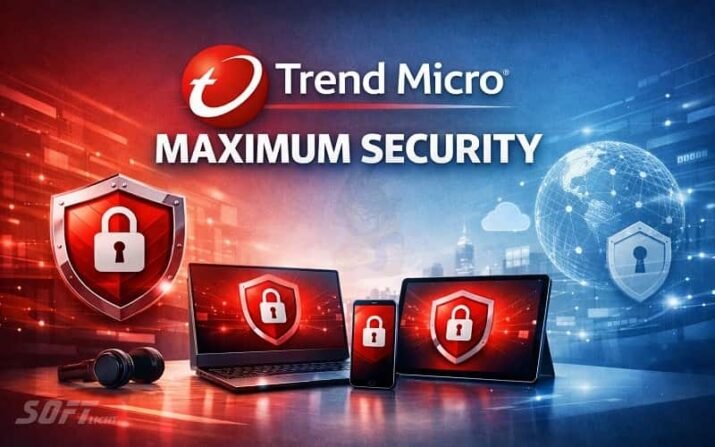
Trend Micro Maximum Security claims to address all these threats. But does it actually deliver?
2. Solution: Why This Software Might Be The Answer
Trend Micro Maximum Security comes from a company with deep roots in cybersecurity. Founded in 1988 in Tokyo, Japan, Trend Micro has over three decades of experience protecting millions of users worldwide. The company is best known for enterprise-grade endpoint security, and brings some of that protection to home users.
What makes this suite unique is its cross-platform approach. Unlike many competitors that focus primarily on Windows, it provides comprehensive protection for Windows, macOS, Android, iOS, and even Chromebooks. A single subscription can protect your entire household’s diverse device ecosystem.
Sits in the middle of the company’s consumer product line. Below it is Trend Micro Internet Security (3 devices, Windows and macOS only), and above it is Trend Micro Premium Security (10 devices, adds VPN, dark web monitoring, and premium support).
Who is this security suite for?
- Households with a mix of Windows PCs, Macs, and mobile devices
- Users who want protection for Chromebooks (rare among competitors)
- People who prefer a simple, straightforward interface
- Those who need protection for up to 5 devices
- Users who want parental controls and social media privacy protection
3. Breaking Down the Protection: How Each Layer Works
Trend Micro Maximum Security uses a multi-layered approach to protection, though recent tests reveal significant weaknesses.
Layer 1: Real-Time Antivirus Scanning
The software continuously monitors your system for known malware. When files arrive on your device, it compares them against its signature database. Known threats are blocked instantly.
The problem: Recent lab tests show this layer is insufficient. According to PCMag, it scored only 62% detection in on-access scanning tests, meaning it missed nearly 40% of known malware samples when first encountered. This is among the lowest scores in recent testing.
Layer 2: Web Threat Protection
Trend Micro Maximum Security includes browser extensions that block malicious websites, phishing attempts, and dangerous downloads. The software also protects webmail (Gmail, Outlook, Yahoo) from scams and phishing attacks.
The good news: In phishing detection tests, I scored 98%, which is strong. The browser extensions are genuinely useful, warning you before you click dangerous links.
The bad news: In malware-hosting URL tests (finding and blocking sites that distribute malware), the software scored only 84%, placing it in the bottom third of recent antivirus products. Avira, Guardio, and Sophos reached 100% in the same test.
Layer 3: Behavioral Detection (No-File Attacks)
Trend Micro Maximum Security monitors running programs for suspicious behavior. If an application starts encrypting your files or making unauthorised system changes, the software should stop it immediately.
The problem: Independent testing has raised concerns. In MRG-Effitas tests, failed both the banking Trojans assessment and the all-types malware assessment, being the only product to fail among all tested products.
Layer 4: Ransomware Protection (Folder Shield)
The software includes a feature called Folder Shield that protects specific folders (Documents, Pictures, Desktop) from unauthorised changes. Any application not on the trusted list that tries to modify files in these folders is blocked.
The limitation: On macOS, Folder Shield works without the additional protection layers found on Windows.
Firewall: Significant Omission
It does not include its own firewall. Instead, it relies on the default Windows firewall. This is a notable weakness compared to competitors like Bitdefender, Norton, and Kaspersky that include advanced two-way firewalls.
Banking and Shopping Protection (Pay Guard)
When you visit a banking or payment website, Trend Micro Maximum Security opens a secure browser window isolated from your main system. This Pay Guard feature prevents keyloggers and screen grabbers from capturing your financial data.
Parental Controls
The software includes parental controls that help protect children online. Parents can filter inappropriate content, limit screen time, and monitor online activity.
The problem: Multiple reviews indicate the parental controls are weak. According to expert analysis, children can easily defeat these controls, and the feature does not work consistently across all platforms. On macOS, content filtering is all you get—no screen time limits or activity reports.
4. Advanced Features You Might Actually Use
Password Manager (Limited Trial)
Trend Micro Maximum Security includes a password manager, but with significant limitations. The password management feature is only a free trial. After the trial period, you must pay separately to continue using it. This is disappointing, as competitors like Bitdefender and Norton include full password managers at similar price points.
Social Media Privacy Protection
This feature scans your social media accounts (Facebook, Twitter, LinkedIn) for privacy settings that might expose your personal information. It suggests improvements to keep your data private.
System Optimisation Tools
The software includes basic PC cleaning tools that remove junk files, temporary data, and browser history. However, the more advanced optimisation features require upgrading to Maximum Security Plus or Premium Security.
AI Application Protection (New for 2026)
Trend Micro Maximum Security includes a new feature that protects AI applications from tampering and abuse. As AI tools become more common in daily work, this forward-looking feature adds value.
Data Protection (Retired Features)
In past versions, it included an encrypted security vault for sensitive files. This feature has been retired. Users who need encrypted storage must look elsewhere.
What You Do NOT Get (Compared to Competitors)
| Missing Feature | Competitors That Include It |
|---|---|
| Firewall | Bitdefender, Norton, Kaspersky, ESET |
| VPN (requires upgrade to Premium) | Norton (unlimited), Kaspersky (unlimited) |
| Full password manager (trial only) | Bitdefender, Norton, Kaspersky |
| Cloud backup | Norton 360 Deluxe (50GB) |
| Webcam protection | Kaspersky, Bitdefender |
5. Performance: Does It Slow Down Your Computer?
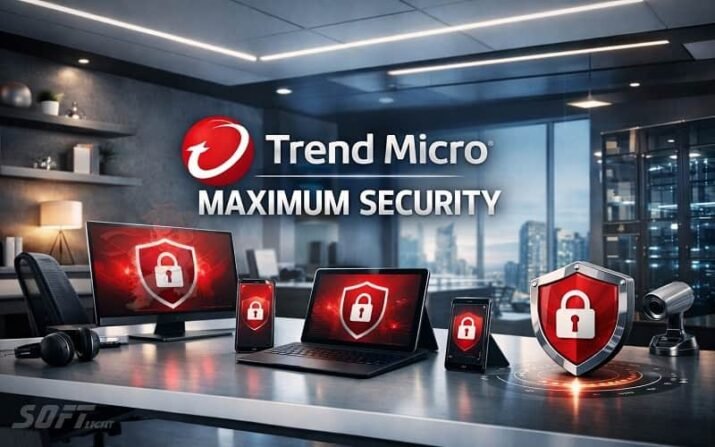
According to AV-Test Institute, Trend Micro Maximum Security previously earned perfect 6/6 performance scores. However, the product has not appeared in recent AV-Test reports.
System impact based on user and expert reviews:
- Some users report noticeable slowdowns, with one reviewer stating it “slowed down my pcs”
- Another user noted the “impact of performance” as a concern.
- The software does include a gaming mode that pauses notifications during full-screen gameplay.
Boot time impact: Not extensively measured in recent tests, but user reports suggest minimal to moderate impact.
File copying impact: The software scans files during copy operations, which may cause delays with large file transfers.
Gaming performance: The gaming mode should prevent interruptions, but users with older systems may experience some impact.
6. Independent Lab Results: What The Experts Say
This is where Trend Micro Maximum Security faces significant criticism. The aggregate lab score has dropped to a concerning low.
AV-Test Institute (Germany)
Trend Micro has not appeared in recent AV-Test reports. Previously, the product earned perfect 18/18 scores, but its absence from current testing raises questions about its performance.
AV-Comparatives (Austria)
Trend Micro appears in AV-Comparatives reports but performs poorly:
- In both simple malware protection and real-world tests, it received only a “Tested” label—not even a Standard certification.
- It did earn an advanced rating in the performance test, but this does not indicate strong malware protection.
- By comparison, Avast, AVG, and ESET earned three Advanced+ ratings.
SE Labs (UK)
Trend Micro has frequently earned AAA certification in past tests, but the last several reports have not included the product.
MRG-Effitas (UK)
The results here are most concerning:
- Failed the banking Trojan protection test.
- Failed the all-types malware assessment.
- Trend Micro was the only failure among all tested products in both assessments.
Aggregate Score
PCMag’s algorithm, which maps results to a 10-point scale, gives Trend Micro Maximum Security an aggregate score of 3.6 out of 10. This is a new low for the product. For comparison:
- AVG: 10/10
- Avast: 9.9/10
- ESET: 9.9/10
- Trend Micro: 3.6/10
Hands-On Testing Results
In PCMag’s own hands-on malware protection test using a collection of real malware samples:
| Test Stage | Trend Micro Result |
|---|---|
| On-access detection (sight) | 62% (eliminated on sight) |
| After execution (behavioral) | 79% total detection |
| Overall score (10-point scale) | 7.6/10 |
This score is among the lowest for antivirus apps tested with this sample set. Norton AntiVirus Plus achieved 9.9/10 in the same test.
7. Strengths (What Actually Works Well)
Based on expert reviews and testing, these are the genuine strengths of Trend Micro Maximum Security:
- Excellent phishing detection: 98% score, protecting users from fake banking and shopping sites
- Cross-platform coverage: Protects Windows, macOS, Android, iOS, and Chromebooks
- Simple, clean interface: Easy to navigate, suitable for non-technical users
- Useful browser extensions: Web protection tools that genuinely help
- AI application protection: New for 2026, protects against AI tool tampering
- Social media privacy protection: A unique feature among consumer antivirus products
- Gaming mode: Pauses notifications during full-screen gameplay
- Reasonable multi-device pricing: $49.95 for the first year for 5 devices
8. Weaknesses (What Falls Short)
To be honest, the weaknesses are significant:
- Poor lab scores: Aggregate 3.6/10, among the lowest of any major antivirus
- Weak on-access detection: Only 62% detection when files first appear
- No firewall: Relies on Windows default firewall
- No VPN: Requires upgrade to Premium Security
- Password manager is a trial only: Not included for the full term
- Weak parental controls: Easily defeated, limited features
- Installation issues reported: Some users cannot open the main interface
- Failed independent tests: Only failure in MRG-Effitas banking and malware tests
- Low aggregate score: 3.6/10 from PCMag’s lab score algorithm
- Missing from recent lab tests: No longer appears in AV-Test or SE Labs reports
9. Version Comparison Table
| Feature | Trend Micro Antivirus+ | Trend Micro Internet Security | Trend Micro Maximum Security | Trend Micro Premium Security |
|---|---|---|---|---|
| Antivirus + Web Protection | ✅ | ✅ | ✅ | ✅ |
| Ransomware Protection | ✅ | ✅ | ✅ | ✅ |
| Pay Guard (Banking) | ✅ | ✅ | ✅ | ✅ |
| Social Media Privacy | ✅ | ✅ | ✅ | ✅ |
| Gaming Mode | ❌ | ✅ | ✅ | ✅ |
| Parental Controls | ❌ | ✅ | ✅ | ✅ |
| Password Manager | ❌ | ❌ | ✅ (trial) | ✅ |
| Secure VPN | ❌ | ❌ | ❌ | ✅ |
| Dark Web Monitoring | ❌ | ❌ | ❌ | ✅ |
| Premium Support | ❌ | ❌ | ❌ | ✅ |
| Devices Covered | 1 | 3 | 5 | 10 |
| Platforms | Windows, Mac | Windows, Mac | All + Chromebook | All + Chromebook |
| Approx Price/Year (first year) | $39.95 | $79.95 | $49.95 | $149.95 |
Recommendation: If you need VPN or full password management, upgrade to Premium Security. If you only need basic antivirus for one device, consider competitors with better lab scores.
10. Price and System Requirements
Pricing for Trend Micro Maximum Security (5 devices)
| Subscription | First Year | Renewal |
|---|---|---|
| 1 year | $49.95 | $99.95 |
| 2 years | $99.90 | N/A |
Note: Trend Micro automatically enrolls users in auto-renewal. A 30-day money-back guarantee is available, and the free trial does not require payment information.
System Requirements
Windows:
- Windows 11, 10, 8.1, 8, 7 (32-bit or 64-bit)
- Supports ARM-based Windows computers
- 2GB RAM recommended
- 1GB available hard disk space
macOS:
- macOS 10.15 or newer
Android:
- Android 8.0 or newer
iOS:
- iOS 15 or newer
Chromebook:
- Chrome OS (all supported versions)
Supported browsers: Chrome, Edge, Firefox, Safari, Internet Explorer
11. Installation and Initial Setup
Trend Micro Maximum Security can be installed on up to 5 devices across all supported platforms.
For Windows
- Visit
trendmicro.com/activateand click Get Started - Sign in or create a new Trend Micro account
- Enter your Activation Code and click Next
- Go to the Downloads tab and click Download under Maximum Security
- Double-click the downloaded installer
- Follow the on-screen instructions
Note for Windows 10 S mode users: Select the S mode version before downloading.
Mac
- Sign in to your Trend Micro account
- Look for Maximum Security and click Add Device
- Select Mac
- Download and open the installer
- Follow the on-screen instructions and grant the necessary permissions
Android
- Add a device from your Trend Micro account
- Select Android
- Download from the Google Play Store using the provided link or QR code
- Sign in to your Trend Micro account within the app
iOS
- Add a device from your Trend Micro account
- Select iOS
- Download from the App Store
- Sign in to your Trend Micro account within the app
Chromebook
- Add a device from your Trend Micro account
- Select Chromebook
- Download directly or receive a link via email
After installation, the software will show “Protected” status, indicating successful activation.
12. Final Verdict: Will You Continue Using It?
Overall rating: 6.5/10
Trend Micro Maximum Security is a difficult product to recommend without significant caveats.
Yes, it might work for you if:
- You need protection for Chromebooks (a rare feature)
- Your household has a mix of Windows, Mac, and mobile devices
- Phishing protection is your primary concern (98% detection is strong)
- You get it at the promotional first-year price of $49.95
- You are willing to upgrade to Premium Security for VPN and full password management
No, you should look elsewhere if:
- You need strong malware protection (lab scores are concerning)
- You want a built-in firewall (not included)
- You need a VPN (requires Premium upgrade)
- You want a full password manager (trial only)
- You care about independent lab test results (3.6/10 aggregate)
- You want peace of mind from top-tier protection
Who should buy this software?
| User Type | Verdict |
|---|---|
| Chromebook owners | ✅ One of the few options |
| Mixed device households (5 devices) | ⚠️ Consider Norton or Bitdefender instead</td> |
| Users focused on phishing protection</td> | ⚠️ 98% is good, but others offer 100%</td> |
| Budget-conscious buyers | ❌ Competitors offer better value |
| Security-conscious users | ❌ Lab scores are too low |
Who should look elsewhere?
- Users who want the best-in-class protection → Bitdefender Total Security or Kaspersky Plus
- Users who need unlimited VPN → Norton 360 Deluxe or Kaspersky Plus
- Users who want cloud backup → Norton 360 Deluxe
- Users who need strong parental controls → Norton or Bitdefender
- Users who want a built-in firewall → Bitdefender, Norton, Kaspersky, or ESET
My honest advice:
Trend Micro Maximum Security has fallen behind its competitors. The lack of recent lab test participation, the failed MRG-Effitas assessments, and the weak on-access detection scores are serious red flags. While the phishing protection and cross-platform coverage are good, the core antivirus function—the most important job of any security suite—is subpar.
If you already own it, ensure you have the latest updates and consider supplementing it with additional security layers. If you are shopping for new protection, PCMag’s expert analysis concludes: “You can find stronger malware protection and richer feature sets in rival products—and often for less money.”
Try the 30-day free trial (which does not require payment information) and test it thoroughly on your specific devices. Pay attention to whether the main interface opens reliably—some users have reported installation issues. And remember to cancel auto-renewal if you decide not to continue.
13. Official Download Link
To download Trend Micro Maximum Security:
- Visit the official website: www.trendmicro.com
- Go to “For Home” → “Maximum Security.”
- Click “Free Trial” (30 days) or “Buy Now.”
- For activation:
trendmicro.com/activate
Direct purchase options:
- Australia:
shop.trendmicro.com.au - New Zealand:
shop.trendmicro.co.nz
Authorised resellers:
- Amazon
- Best Buy
Note: Never download Trend Micro Maximum Security from third-party sites. Only use the official website or authorised app stores.</p>
14. Frequently Asked Questions
Q: Is Trend Mi
cro Maximum Security better than Bitdefender or Norton?</strong>
A: No. Independent lab tests show Bitdefender and Norton consistently achieve perfect or near-perfect scores, while Trend Micro Maximum Security has an aggregate lab score of only 3.6/10.
Q: Does Trend Micro Maximum Security include VPN?
A: No. VPN requires upgrading to Trend Micro Premium Security.
Q: Can I use Trend Micro Maximum Security on my Chromebook?
A: Yes. This is one of the few security suites that support Chromebook protection.
Q: Does the software slow down my computer?
A: Some users report slowdowns. One reviewer stated it “slowed down my pcs”. The gaming mode helps reduce interruptions during gameplay.
Q: Is the password manager free?
A: Only as a trial. After the trial period, you must pay separately.
Q: How do I cancel auto-renewal?
A: Sign into your Trend Micro account, go to subscription settings, and turn off auto-renewal.
Q: What is the difference between Maximum Security and Premium Security?
A: Premium Security adds VPN, dark web monitoring, premium support, and covers 10 devices instead of 5.
Q: Is Trend Micro Maximum Security worth the money?
A: At the promotional first-year price of $49.95 for 5 devices, it is reasonably priced. However, given the weak protection scores, many competitors offer better value even at similar or lower prices.
Conclusion
Trend Micro Maximum Security offers strong cross-platform protection and excellent phishing detection, but its core antivirus capabilities have deteriorated significantly according to independent lab tests. An aggregate lab score of 3.6/10, failed MRG-Effitas assessments, and weak on-access detection (62%) are serious concerns for any security product.
The lack of a built-in firewall, VPN, and full password manager further reduces its value compared to competitors. For households with Chromebooks, it remains one of the few options. But for most users, Bitdefender Total Security, Norton 360 Deluxe, or Kaspersky Plus offer stronger protection, richer feature sets, and often lower prices. Try the 30-day free trial, but test thoroughly before committing to a subscription.