Matomo: Best Google Analytics Alternative for Full Privacy
Matomo: Best Google Analytics Alternative for Full Privacy
Introduction
In the age of digital transformation, analytics data has become the “new oil” driving marketing, content, and development strategies. For years, Google Analytics dominated this field, but with rising global concerns about data privacy and compliance with laws like the GDPR and CCPA, the search began for safer and more user-friendly alternatives. This is where Matomo comes in.
An open-source platform that provides accurate and comprehensive analytics without compromising the privacy of your website visitors. In this comprehensive article, we’ll take you step-by-step through everything you need to know about it: from installation and setup to advanced features, comparisons, and expert tips. If you run a WordPress site and are looking for a powerful, ethical, and reliable alternative to Google Analytics, this guide is your ultimate destination.
1. What is Matomo?
(formerly known as Piwik) It is an open-source web analytics platform designed as a direct and powerful alternative to Google Analytics. First launched in 2007 by Mathias Zombrun, it has since grown to become the most popular system of its kind, used by over one million websites in 190 countries, including major organizations such as the United Nations, NASA, and the French government.
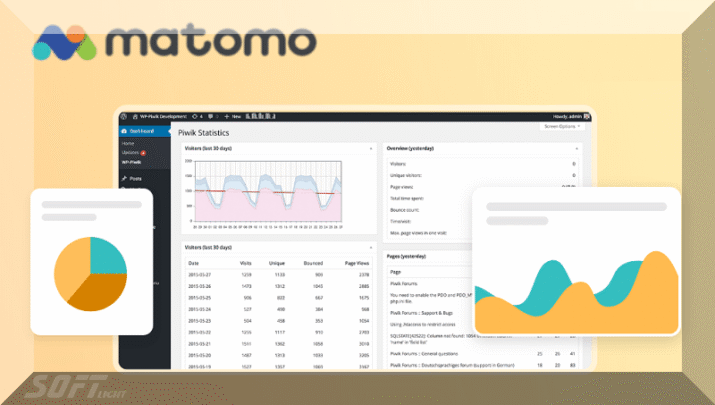
What sets Matomo apart is that you own your data completely. It can be installed on your own server (self-hosted), or you can use its managed cloud version. It doesn’t sell your data to third parties or use it for targeted advertising, making it the ideal choice for websites that prioritize legal compliance and ethical privacy. Provides real-time reports on visitors, traffic sources, user behavior, conversion goals, and e-commerce analytics with complete transparency and accuracy.


2. Installation and Setup
Installing Matomo can be done in two main ways, both of which support WordPress perfectly:
The first method: via the official WordPress plugin (Matomo Analytics)
Go to WordPress dashboard → Plugins → Add new.
Search for “Matomo Analytics”.
Install and activate the extension.
A new settings page will appear, directing you to create a free cloud account or to connect your own server.
You can start immediately via the free Matomo cloud service (with certain visit limits) or upgrade later.
The second method: Manual installation on the server (for advanced users)
Download the Matomo files from matomo.org.
Upload the files to your server using FTP.
Create a new MySQL database.
Go to your domain/Matomu and complete the installation wizard (enter database data, create an administrator user, etc.).
After installation, you will get a JavaScript tracking code; place it in your theme’s header.php file or via a WordPress plugin.
The official WordPress plugin makes the process very simple, even for beginners, and automatically adds the tracking code.
3. Key Features
Matomo is not just a “poor alternative” to Google Analytics, but offers a range of features that surpass its competitor in several aspects:
Fully customizable control panel: You can drag and drop widgets as you like, and create multiple panels for different team members.
Real-time reports: See which visitors are active now, which pages they are browsing, and which links they are clicking on at the same moment.
E-commerce analytics: Integrates with WooCommerce and Easy Digital Downloads to accurately track sales, metrics, order value, and conversion rates.
Heatmaps & Session Recordings: This is an additional paid feature that allows you to see exactly where visitors click and how they move around, similar to Hotjar.
Advanced goal tracking: You can track any event (clicking a button, submitting a form, intense time on a page, etc.).
White Label: In advanced cloud plans, you can hide the logo and present the reports as if they were your own tool for your clients.
Importing Google Analytics data: You can easily import your historical data to avoid losing continuity.
4. Security and Privacy
Privacy is at the heart of Matomo’s existence. In an era where data breaches dominate headlines, it offers robust safeguards:
100% data ownership: With self-installation, your data never leaves your server. You are solely in control.
GDPR and CCPA compliance: Specifically designed to comply with European and American laws. It offers easy-to-use mechanisms for requesting data deletion (Right to be forgotten), managing consent (Consent Manager), and hiding IP addresses (by the last two or three bits).
No Cross-Site Tracking: Does not track users between different sites as Google does, and this makes your browser not consider it a dangerous tracking tool.
Controlling user permissions: You can give different permissions (view only, edit, manage) to your team members without revealing sensitive data.
Encryption and databases: It supports encryption of communications over HTTPS, and allows the storage of sensitive data with additional encryption.
Simply put, if you have a medical, educational, governmental, or any site that collects personal data, Matomo is the safest option legally and ethically.
5. Integration with Other Tools
Matomo does not operate in isolation from the rest of your ecosystem, but rather provides extensive integrations that make it a comprehensive analytics hub:
WordPress and WooCommerce: Deeper and more important integration. The official plugin automatically adds tracking and provides store-specific reports within Matomo.
Google Tag Manager (GTM): Provides a dedicated container in GTM that allows tracking code to be easily deployed without modifying site files.
Learning Management Systems (LMS): Integrates with LearnDash and Totara to track student progress and completions.
Slack: You can send periodic reports or notifications when certain goals are achieved directly to your team’s Slack channels.
Zapier and Make (formerly Integromat): Through these platforms, you can link Matomoo with thousands of other applications, such as Mailchimp, Chipotle, Google Sheets, and others.
Powerful API: Offers more than 100 different APIs, enabling developers to build custom integrations and pull data into external dashboards.
Thanks to these integrations, Becomes a smart base that feeds all your marketing and operational tools with accurate data.
6. Customer Support and Help Center
Support at Matomo depends on the plan you choose (free self-service or paid cloud), but in general:
For users of the open-source (free) version: You get access to a very large community (Matomo.org forums, Stack Overflow, and an open Slack channel). The official documentation is comprehensive and partially translated into Arabic, French, and Spanish.
For users of the paid cloud version (Matomo Cloud): You receive high-priority email and ticket support. The average response time is less than 24 hours, and they support you with installation, configuration, and troubleshooting.
Premium Enterprise Support: Includes telephone support, a dedicated account manager, and a 99.9% uptime guarantee (SLA).
The Help Center features thousands of articles, video tutorials, frequently asked questions, and a weekly technical blog. There’s also the Matomo Academy, offering both free and paid training modules for a professional analytics certification.
For an Arabic website, support in English is essential, but you can use the community for translation.
7. Prices and Plans
Matomo offers a unique pricing model that combines strength and flexibility:
The open-source version (completely free): You can download and install it on your server without any monthly fees and without limits on the number of visits. You only pay for the cost of hosting your server (which may range from $10 to $100 per month, depending on the volume of visits).
Managed cloud version (Matomo Cloud):
Free plan: Up to 50,000 visits per month (limited in older reports).
Starter Plan: Starting from €19 per month (about $20) for 50,000 visits, including email support and no ads.
Growth Plan: From €29 per month for 200,000 visits, adding click maps and session recordings.
Enterprise Plan: On-demand pricing for very large visits (millions of visits), with dedicated support and White Label.
Compared to Google Analytics 4 (free): Google is free, but it collects your data and uses it for advertising. Matomo (either cloud-based or free self-hosted) does not. Matomo’s self-hosting is the least expensive option in the long run for medium and large websites.
8. Advantages and Disadvantages
The Pros:
✅ Full data ownership – true privacy.
✅ Open source – can be extended and modified as needed.
✅ Comply with privacy laws easily and without the need for lawyers.
✅ Analysis accuracy – No self-sampling is required in the free version.
✅ Excellent integration with WordPress – official plugin and ongoing maintenance.
✅ A beautiful and easy-to-use control panel compared to the somewhat complex Google Analytics 4.
Disadvantages (Cons):
❌ Requires technical expertise for self-installation (server management, database, performance optimization).
❌ Hidden costs of self-hosting (powerful server for large websites).
❌ Some advanced features (such as session recordings) are extra and paid even in the self-service version.
❌ It does not have a huge database like Google to provide market trend predictions (such as the built-in Google Trends).
❌ Fewer ready-made integrations compared to Google with advertising services (such as Google Ads).
In conclusion, the defects are mainly technical, but in terms of principle and specificity, it is undeniably superior.
9. User Experiences and Testimonials
Analyzing user reviews on platforms like G2, Capterra, and Trustpilot, we find that Matomo has an average rating of 4.6/5, based on over 1200 reviews. Let’s share some genuine impressions (with linguistic adjustments for context):
Ahmed, owner of a technology news website (Egypt): “I used to use Google Analytics, but the traffic data was inaccurate due to AdBlockers. After switching to Matomo Self, the data became 35% more accurate because it doesn’t get blocked as much. Also, GDPR compliance became much easier.”
Sarah, Marketing Manager at an educational platform (Saudi Arabia): “Matomu’s click map feature saved us the cost of separate tools like Hotjar. We can optimize landing page design based on real student behavior. Cloud support was very quick in resolving the tracking domain configuration issue.”
A technical team at a non-profit organization (Europe): “As we are dealing with refugee data, keeping the data on the server is a legal and ethical requirement. Matumo is the only viable solution within our budget.”
Common negative observations: The initial learning curve for setting up the server, and a lack of an official mobile application as powerful as the desktop version.
10. Use Cases / Case Studies
Let’s take three real-life cases to illustrate the power of Matomo:
Case 1: A large personal blog (more than 500,000 visits per month)
The challenge: The blog owner was using Google Analytics, but noticed that 40% of his visitors were using ad blockers, which completely blocked Google tracking.
Solution: He self-installed Matomo on a VPS server for $30 per month.
The result: Data accuracy increased immediately, and it was discovered that a major source of traffic was completely missing from Google’s reports (namely, traffic from news apps that block Google tracking).
Action taken: He redirected his advertising budget towards the highest-performing real estate sources.
Case 2: Medium-sized WooCommerce store
The challenge: They wanted to accurately track abandoned shopping carts, but Google Analytics wasn’t giving them the full scenario for each user.
Solution: Add custom event tracking (tracking clicks on the “Complete Purchase” button).
The result: Using reports, they discovered that 60% of cart abandonments occurred after shipping costs were displayed. They changed their policy to “free shipping on orders over $50,” and sales increased by 25%.
Third case: Government website (official entity)
The challenge: It is legally prohibited to use non-national cloud services.
Solution: Self-install Matumo within government data centers.
The result: Safe and fully compliant analyses.
11. Comparison with Other Tools
Let’s compare Matomo with its main competitors:
| Standard | Matomo (self) | Google Analytics 4 (GA4) | Blaume (Plausible) | Fathom |
|---|---|---|---|---|
| Data ownership | Complete | No, Google owns it. | Fully cloud-based | Fully cloud-based |
| Cost for the small site (50k per month) | Server cost ($10-$20) | Free | $9 per month | $15 per month |
| Data accuracy with an ad blocker | High (few prohibit it) | Low (very prohibited) | Medium | Medium |
| Session recordings and heat maps | Yes (as a paid add-on) | no | no | no |
| Unmonitored (No-Cookie) analytics | Yes (with special settings) | no | Yes | Yes |
| Flexibility and customization | Very high quality (open source) | Medium | Low | Low |
| learning curve | Medium to high | Medium | Very easy | easy |
In summary: Choose Matomo if you want the most powerful budgets and in-depth analysis with complete control. Choose Bloom or Vomos if you want maximum simplicity and privacy without complexity. Choose GA4 if you use Google Ads and want direct integration and are looking for a “free” option (with data charges).
12. Tips for Effective Use
To get the most out of Matomo, follow these pro tips:
Don’t neglect setting goals: Set SMART goals such as “Complete a contact form,” “Spend more than 3 minutes on the article page,” “Subscribe to the newsletter.” Without goals, you’re just looking at meaningless numbers.
Use event tracking: track button clicks, video playback, downloads, and dynamic interactions. This gives you a complete picture of user behavior.
Set up automatic downloadable content: In settings, specify the file extensions that you consider “downloadable” (PDF, ZIP, MP4, etc.).
IP data filtering: Enabling the hiding of the last two bits of the IP address (Anonymize IP) improves privacy and has virtually no effect on the accuracy of geographic statistics.
Exclude your internal visits (Exclude IPs): Enter your IP address and your team’s IP address to avoid data contamination by your internal visits.
Turn on automatic notifications: Ask to send a brief weekly report to your email, so you can stay informed without having to log in to the dashboard every day.
Monitor page load speed: Provides a page load speed report for real users (similar to the Core Web Vitals metric), use it to improve your site’s performance.
13. Frequently Asked Questions (FAQs)
Q: Will Matomo affect my website’s speed?
A: The tracking code is very lightweight (less than 20 KB) compared to GA4. However, if you install it on the same server as your website, it might slightly increase the load. For large websites, it’s recommended to use a separate tracking server or CDN.
Q: How do I transfer my data from Google Analytics to Matomo?
A: Use the official “Log Analytics” plugin or the paid “Google Analytics Importer” tool. You can import historical data (visits, pages, referrals) once.
Q: Is Matomo suitable for beginners?
A: The cloud version is very easy for beginners. The standalone version requires knowledge of FTP, databases, and server administration.
Q: Can Matomo be used with mobile applications?
A: Yes, it provides SDKs for iOS and Android applications (software libraries) to track events within applications.
Q: How do I comply with Cookie Law?
A: It can be used without requiring cookie consent if you disable cookie tracking and use cookie-free tracking. However, it’s best to use Matomo’s consent manager.
14. The Importance of System Maintenance
If you choose the self-hosted version, system maintenance is not a luxury, but an absolute necessity. Here’s why:
Security: Like any open-source system, security vulnerabilities are discovered from time to time. New Matomo releases include security patches. If you neglect to update, your server becomes an easy target for hackers.
Performance: With the accumulation of data (millions of visits), database queries may become slow. Maintenance includes optimizing tables and archiving old data.
Compatibility: Updates to PHP and MySQL on your server may render the older version of Matomu incompatible.
Scheduled tasks (Cron Jobs): rely on scheduled tasks for processing and sending reports. It must be ensured that these tasks are running regularly.
Maintenance tips:
Enable automatic updates for minor versions.
Keep a weekly backup of the database and files.
Monitor the size of the database; consider archiving visits older than one year.
Use Redis or Memcached to speed up caching.
Official cloud hosting relieves you of all these hassles, but you pay a price for it.
15. Additional Lessons and Resources
To learn Matomo professionally, these are the best available resources (in English, and most support translation):
The official website and documentation (matomo.org/docs): The essential starting point. It explains everything from installation to the API interface.
The YouTube channel features over 100 short tutorial videos, including explanations of the control panel, objectives, and heatmaps. Some videos include machine translation into Arabic.
Matomo Academy (Academy.matomo.org): Free and paid courses. The free “Matomo for Beginners” course is worth a week of your time. The paid courses prepare you for the “Matomo Certified Professional” exam.
Matomo’s official blog: Weekly articles on analytics, privacy, and case studies.
The Arabic WordPress community: The “Matomu Consulting” group on Facebook and Telegram includes Arab experts, where you can ask your questions.
The “Ethical Analysis with Matomo” course on the Udemy platform: presented by a certified trainer, and rated 4.7.
My advice: Start with the documentation, then watch the “Matomo Quick Start” video, then create a localhost test site to apply it practically.
16. System Requirements
To run Matomo efficiently on your own server, the following requirements must be met (for version 5.x and later):
Minimum (for small websites up to 50,000 visits/month) :
PHP 8.1 or later (with extensions PDO, mysqli, gd, curl, zip, dom, XML, json).
MySQL 5.7 or later (or MariaDB 10.3+).
Web server: Apache 2.4+ or Nginx 1.2+.
Storage space: 1 GB + 500 MB per approximately 100,000 visits (because it saves detailed data).
Random Access Memory (RAM): 256 MB allocated for PHP.
Recommended level (for large sites up to 1 million visits/month) :
PHP 8.2 with OPcache.
MySQL 8.0 with InnoDB (with performance variables adjusted).
A VPS or dedicated server with 4GB of RAM or more.
Use Redis or Memcached for caching sessions and reports.
Use a fast file system (SSD).
Enable HTTP/2 and Gzip/Brotli compression.
Important note: Do not use cheap shared hosting (like budget GoDaddy) with Matomo, as database queries will cause your account to be suspended due to resource consumption. Use a VPS from DigitalOcean, Linode, or Vultr.
17. Quick Start
If you want to see Matomo in action in 10 minutes (without any complications), follow this quick guide:
The fastest method ever (free cloud version):
Go to matomo.org/start.
Create a free account using your email address.
Choose your website name and domain.
Copy the tracking code that appears.
In WordPress, install the official “Matomo Analytics” plugin.
In the add-on settings, select “Matomo Cloud” and paste the tracking code if prompted (or use the automatic wizard).
Save the settings.
Within minutes, go to the Matomo Cloud Dashboard, and you’ll find the data starting to flow.
The fastest way to create a self-contained copy (if you have a VPS server ready) :
Log in to your server via SSH.
Execute the following commands (for Ubuntu):
sudo apt update && sudo apt upgrade
sudo apt install php8.1 mysql-server nginx
wget https://builds.matomo.org/matomo.zip && unzip matomo.zip
sudo mv matomo /var/www/html/
Create a MySQL database using the command,
mysqlthenCREATE DATABASE matomo;…Go to your browser: http://yourdomain.com/matomo.
Follow the graphical installation wizard.
Place the tracking code on your website as above.
Congratulations, you are now ready to explore the data.
18. Common Problems and Troubleshooting
Even the most powerful systems have problems. Here are the top 5 Matomo problems and their solutions:
1. No data is displayed (Tracking Code not working)
Solution: Open Developer Tools (F12) → Network tab, look for a request to “matomo.php” or “piwik.php”. If you don’t find it, manually add the tracking code to header.php, or make sure the extension doesn’t conflict with a caching tool like WPRocket (add an exception for /matomo/).
2. Database errors such as “Deadlock found.”
Solution: Convert all Matomu tables to InnoDB (if they are MyISAM) via the command:
ALTER TABLE matomo_log_visit ENGINE=InnoDB;. Then increase the timeout (innodb_lock_wait_timeout) in the MySQL file.
3. Extremely slow control panel
Solution: Enable automatic report archiving via the command:
./console core:archive --force-all-websites. Add a scheduled task (Cron Job) that runs hourly. Also, reduce the number of days displayed in the default tools.
4. “Unable to send email” message
Solution: Check your SMTP settings in the config/config.ini.php file. If you’re using Gmail, enable “App Passwords”.
5. Inaccurate sources (referrers) – they all appear as “Direct”.
Solution: Ensure the tracking code is present on all pages and that the plugin does not conflict with JavaScript redirection. Use the “Matomo Referrer Fix” plugin for sites using AJAX.
19. Best Practices for Optimal Performance
To ensure that it runs quickly without slowing your site down, implement these practices:
Do not place Matomo on the same server as your main website for large sites (over 200,000 visits per month). Use a separate server (a subdomain such as stats.example.com).
Enable compression and caching:
In Nginx:
gzip on; gzip_types application/javascript text/css;In Apache
mod_deflate:Use Cache-Control for static files.
Use asynchronous tracking: The WordPress plugin does this automatically. Do not use synchronous tracking.
Reduce the number of unused plugins in Matomo. Go to “Manage → Plugins” and disable everything you don’t need (e.g., MobileAppMeasurable, CustomDimensions if you don’t use them).
Archive older data instead of deleting it. You can configure to retain log data for the last 6 months and archive data for the last 3 years.
Use PHP 8.2 or later; it is 20% faster than PHP 7.4.
Monitor performance using Matomo’s System Check from within the admin panel.
20. Future Updates and Roadmap
Matomo is a living, evolving project. Based on official announcements and the Community Forum (2024-2025), here’s what’s next:
AI-powered analytics (AI Insights): Expected Q4 2025 release provides automated predictions (e.g., “Traffic is expected to drop by 10% next week,” or “Page X has a chance to increase conversion if you change the call button to action”).
Completely unobtrusive tracking (Privacy-First Tracking 2.0): A new technology that allows tracking without any cookies or JavaScript (via pixel images or headers), making it compliant with even the strictest privacy laws.
A new mobile app (iOS and Android) written entirely with Flutter, faster and more modern than the old app. It will offer customizable dashboards and instant notifications.
Deeper integration with generative AI systems to create reports written in natural language (e.g., “Write me a summary of the top 5 pages in terms of engagement this month”).
Improve database performance by introducing ClickHouse support as an alternative to MySQL for very large websites (hundreds of millions of visits).
The map is available for community voting, which means that as a contributor, you can influence development priorities.
21. Community and User Forums
One of Matomo’s greatest strengths is its active and supportive community. Here’s where to find them:
The official Matomo community forum (forum.matomo.org) is divided into sections (Arabic, English, Spanish, French, German). It has over 50,000 members. The average response time to a technical question is less than 4 hours.
The official Slack channel (matomo.slack.com): It has a room in Arabic and WordPress. Ideal for quick questions.
GitHub (github.com/matomo-org/matomo): This is where you submit feature requests and report bugs. The project has over 800 volunteers and 19,000 stars. You can even contribute to translating Matomo via Weblate.
Local user meetings (Meetups): There are groups in Dubai, Cairo, and Riyadh that organize regular online meetings (Zoom) to discuss best practices.
Arab Contributors: There is an Arab volunteer team that translates the core documents and official WordPress plugin. You can join them.
Tip: Before asking a question in the forum, use the search function. 90% of problems have already been solved. Be respectful and share your experience once you’ve solved your problem so others can benefit.
Conclusion: Matomo: Best Google Analytics Alternative for Full Privacy
In a world with increasingly stringent privacy laws and a growing desire among users to protect their data, website owners can no longer blindly rely on traditional analytics tools that use their data for the benefit of third parties. This is where Matomo emerges as a beacon of digital ethics, empowering you with the full force of accurate and comprehensive analytics without compromising your visitors’ rights or your legality.
Whether you’re a freelance blogger, a WooCommerce store manager, a government website administrator, or a marketing agency managing multiple client accounts, it offers a flexible solution to suit your needs: from a free, open-source, self-installable version to cloud-based, maintenance-free plans.
With features that often surpass Google Analytics (such as heatmaps, session recordings, and full data ownership), massive community support, and continuous updates, isn’t just an alternative; it’s the smart strategic choice for any website that wants to stay ahead of the analytics landscape in the coming decade. Start your journey with Matomo today and get ready to discover a new world of ethical and actionable data.